company logo

Help center

Go to Kindred PracticeLogin
All collectionsClient ManagementCredits and Custom Rates

Credits and Custom Rates

How to add credits to client account and a custom rate (aka sliding scale)

Overview

Adding custom rates, also known as sliding scale, to a client profile is incredibly easy with Kindred Practice. This allows the ability to have a custom price set specific to a client for a certain service so that a new service is not needed to be created just for some clients who use that existing service but at a different price. Custom rate is tied to a specific combination of client, therapist and service. To have a custom rate for multiple services, multiple custom rates can be created.

Adding credits to a client profile allows flexibility when charging a client as credits will be used first before credit card or cash.

info icon
Credits and Discounts are similar but with some key differences. Use of credits will not be reflected in the invoice to the client. Discounts will be reflected in invoice and tax (if applicable) will be adjusted to the discounted price of service.

Video Demo

Steps to Add Credit

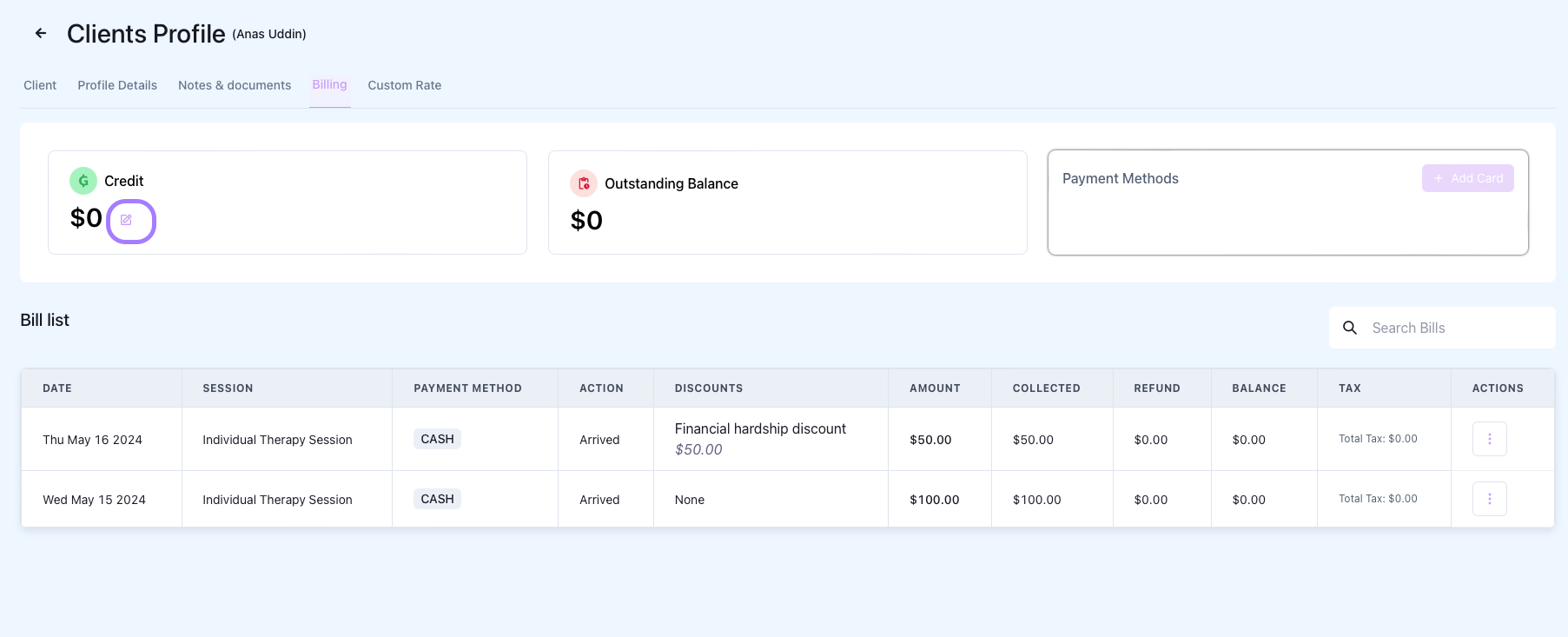
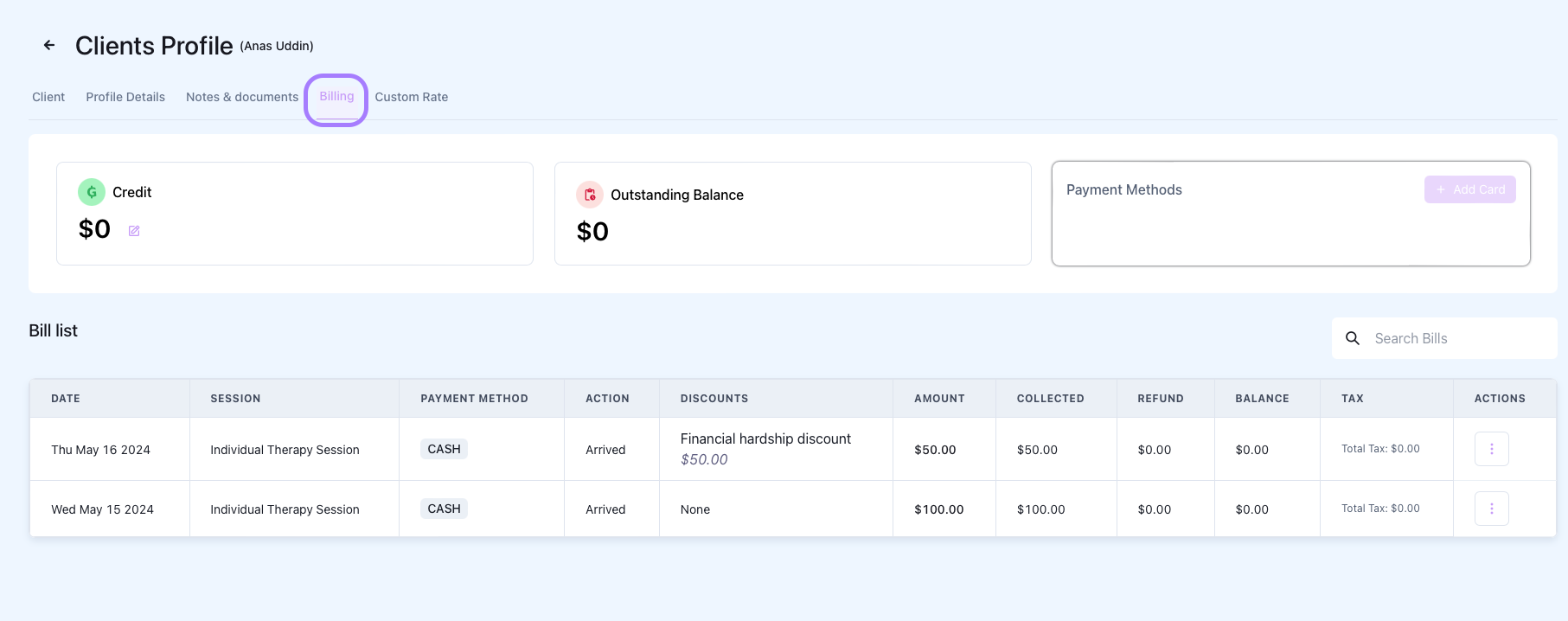
Navigate to Billing Tab in Client Profile

Click on Edit Button in Credit Section

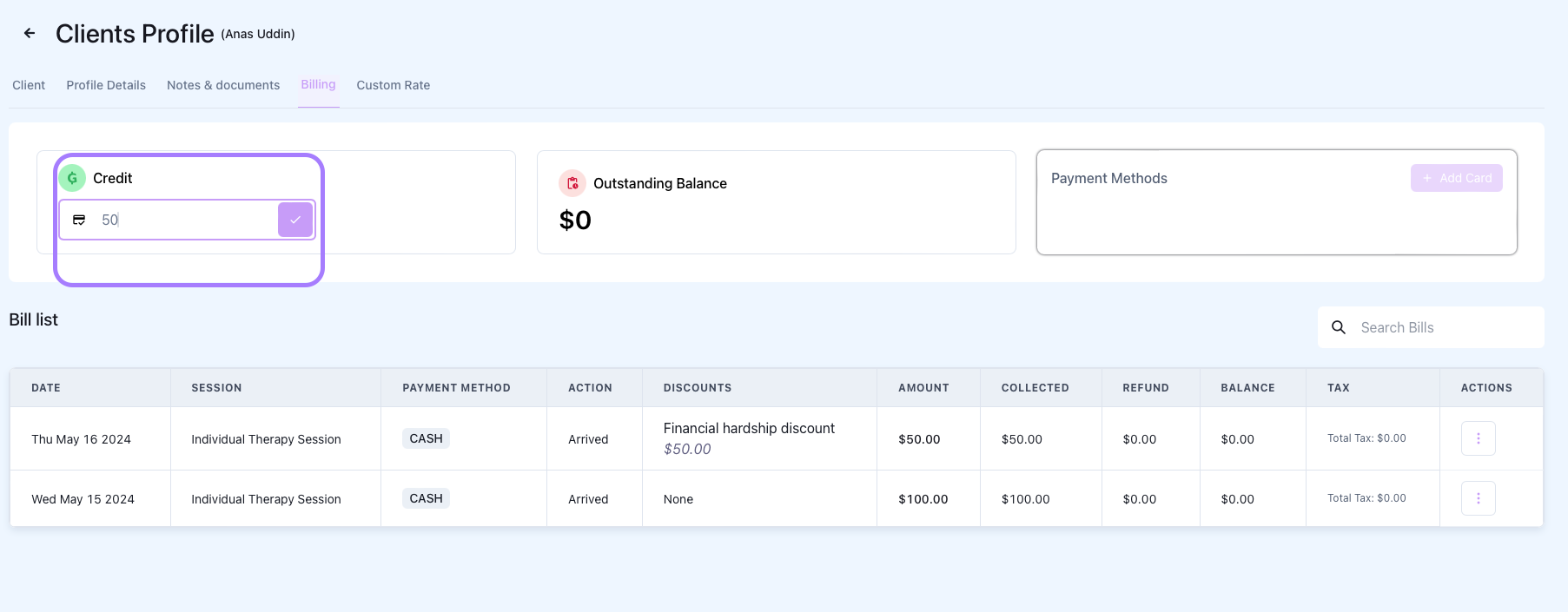
Update Credit Amount and Save

warning icon
Credits will always be used before other payment types. E.g. if a client has $40 credit and is charged for $100 session with Credit Card, only $60 will be charged on Stripe.

Steps to Add Custom Rate

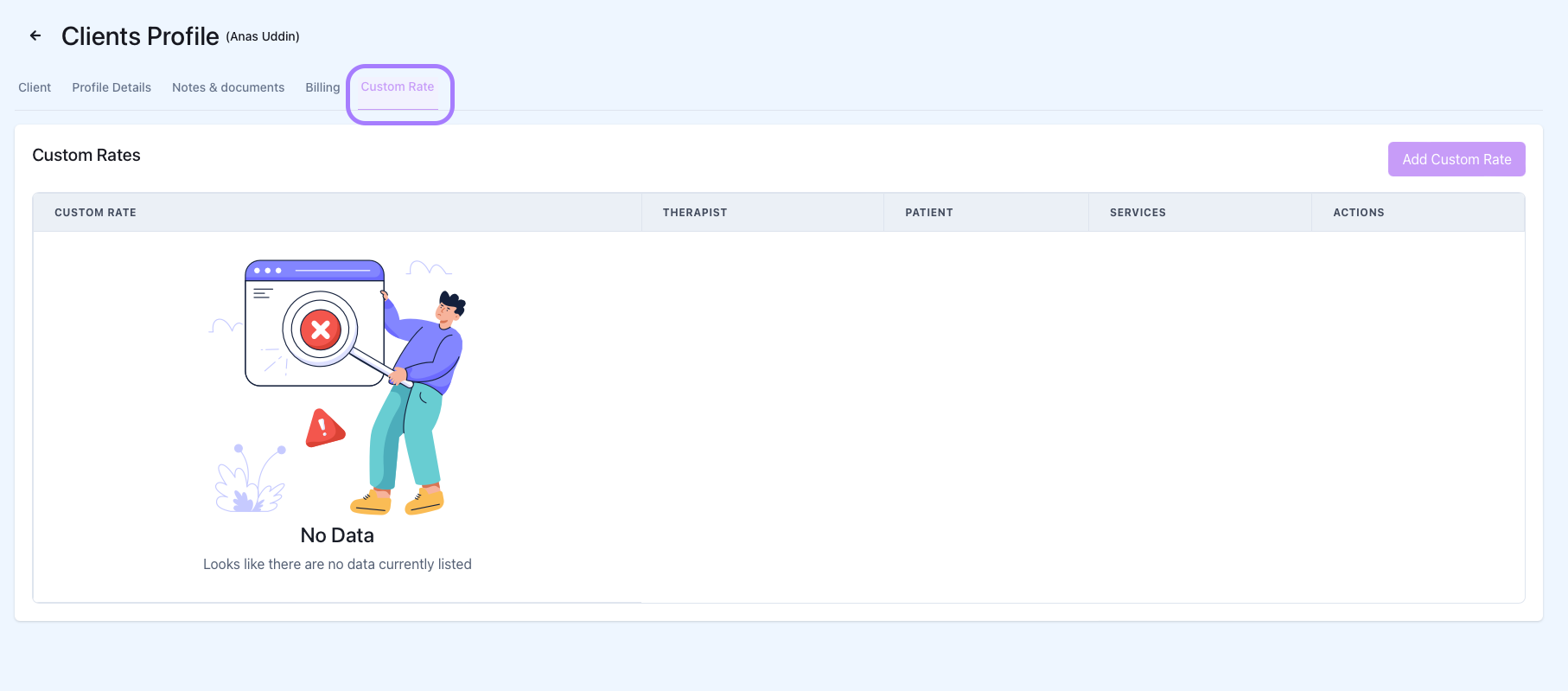
Navigate to Custom Rate tab in Client Profile

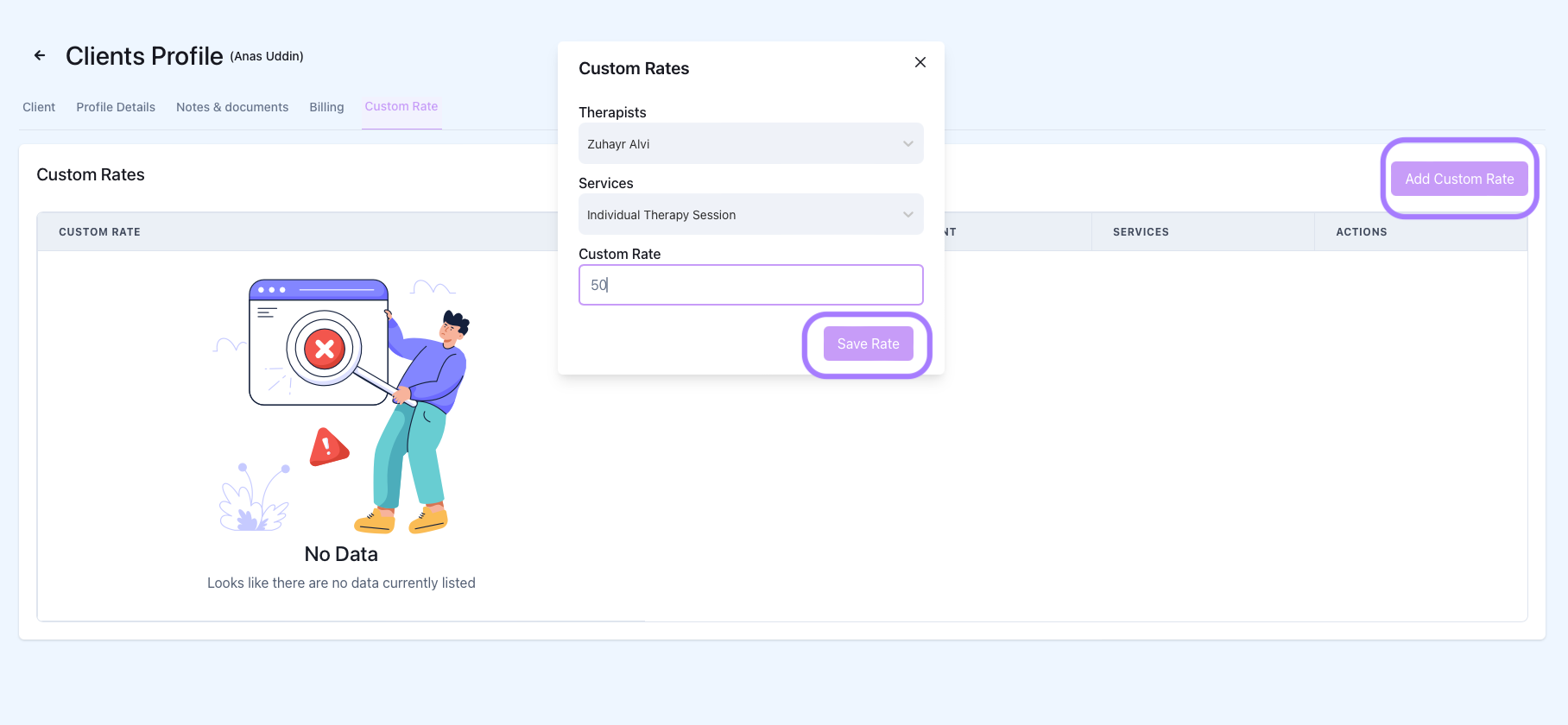
Add Custom Rate and Save Details

Choose the therapist that will charge custom rate for the client.

Choose the specific service where the custom rate is applied to.

The last field will auto populate the normal rate for that service which can be used as reference to what the custom rate for that client should be.

Did this answer your question?
😞
😐
😁