
Overview
Adding a break block on your calendar allows a quick way to add in breaks in your schedule. Breaks can be recurring or single use.
Breaks are an easy way to block off time on your calendar to ensure you do not accidentally schedule a session when you are not available and to block off the online booking calendar so clients can not book appointments themselves during that block.
Video Demo
Steps
Navigate to Breaks on Scheduler
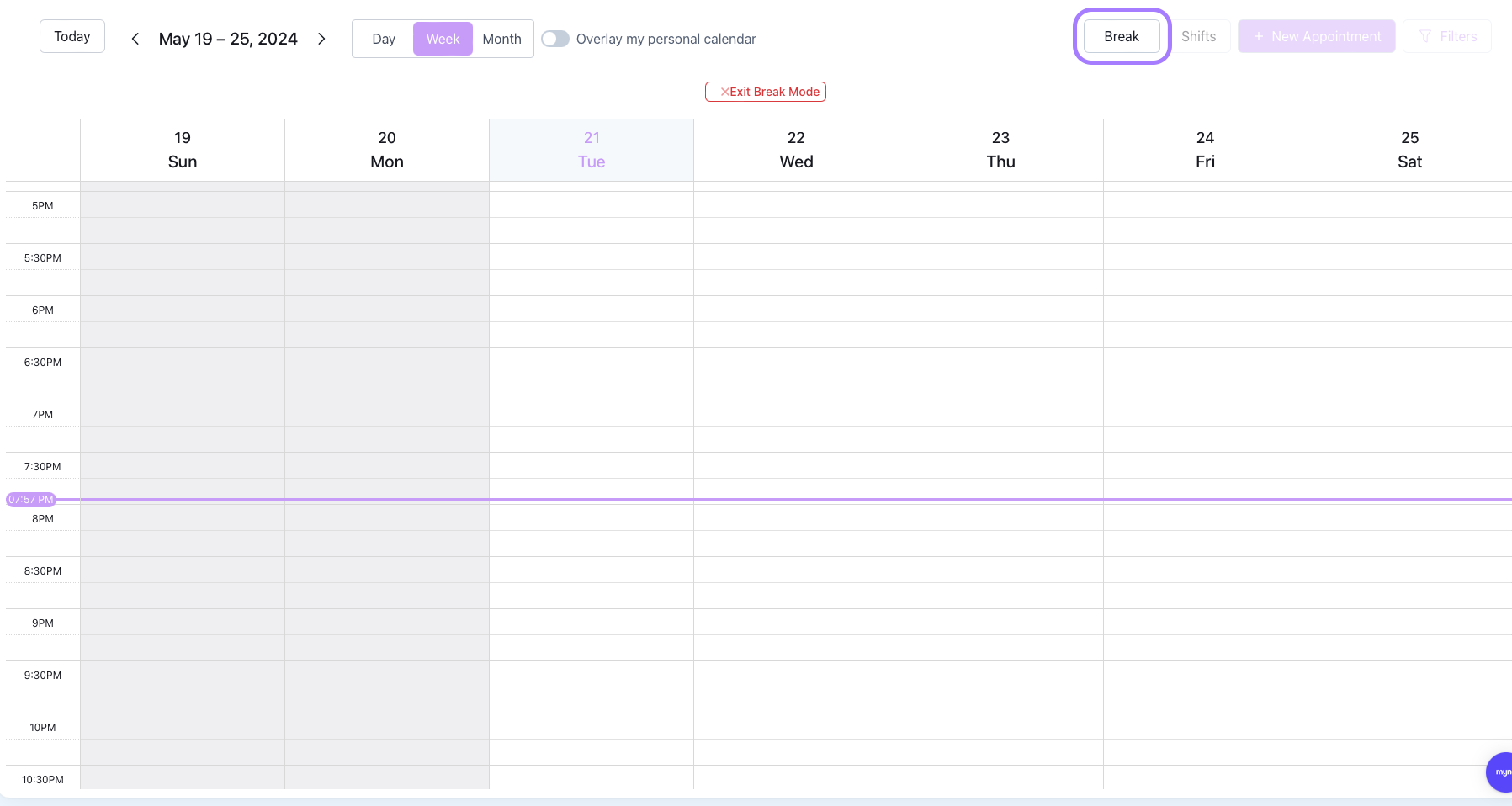
This turns on Break Mode.
Click and Drag on Calendar to Create Breaks
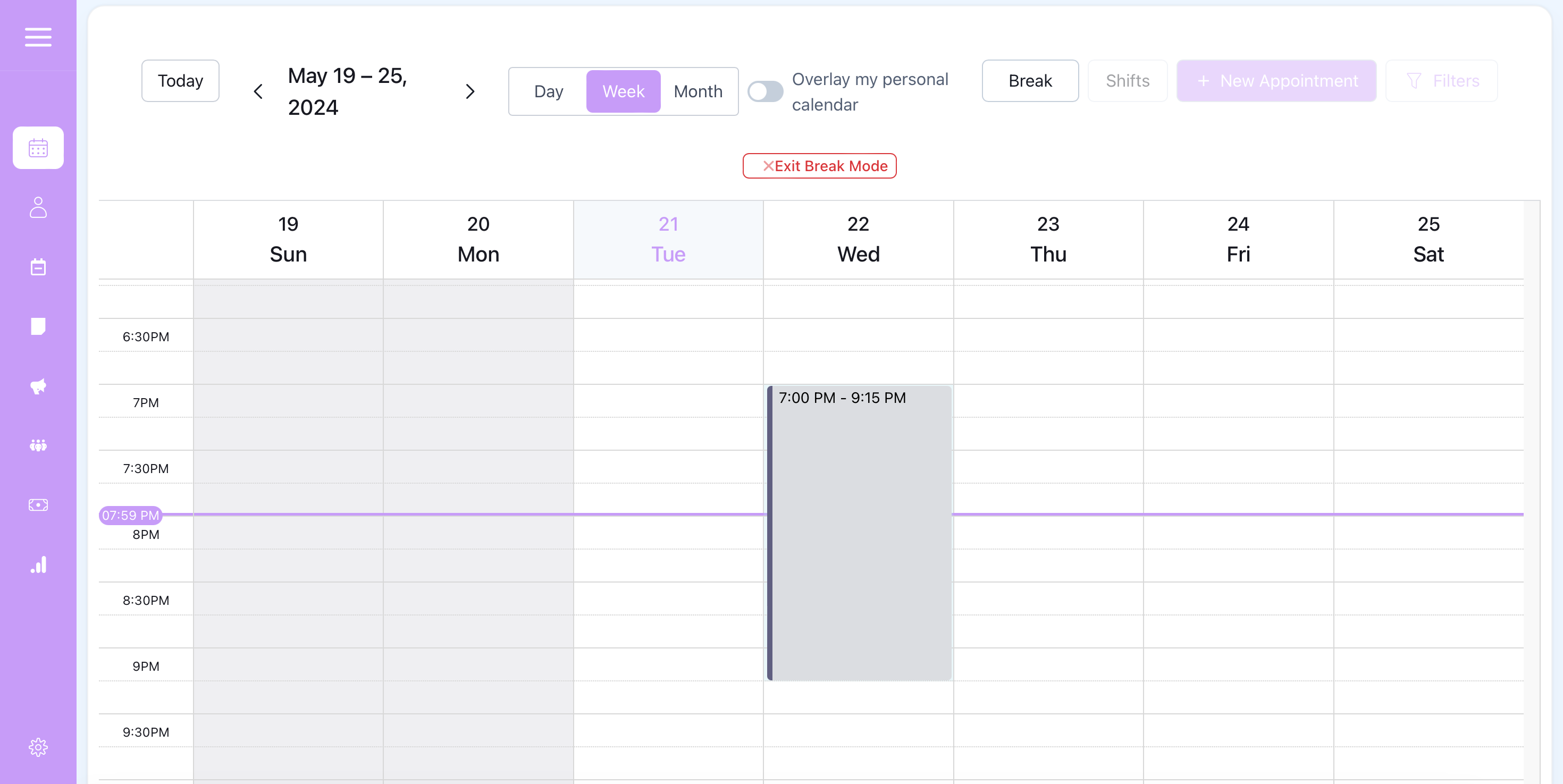

Note: Breaks can be created over existing shifts but not over other existing breaks or existing appointments.
Edit and Save Break Settings
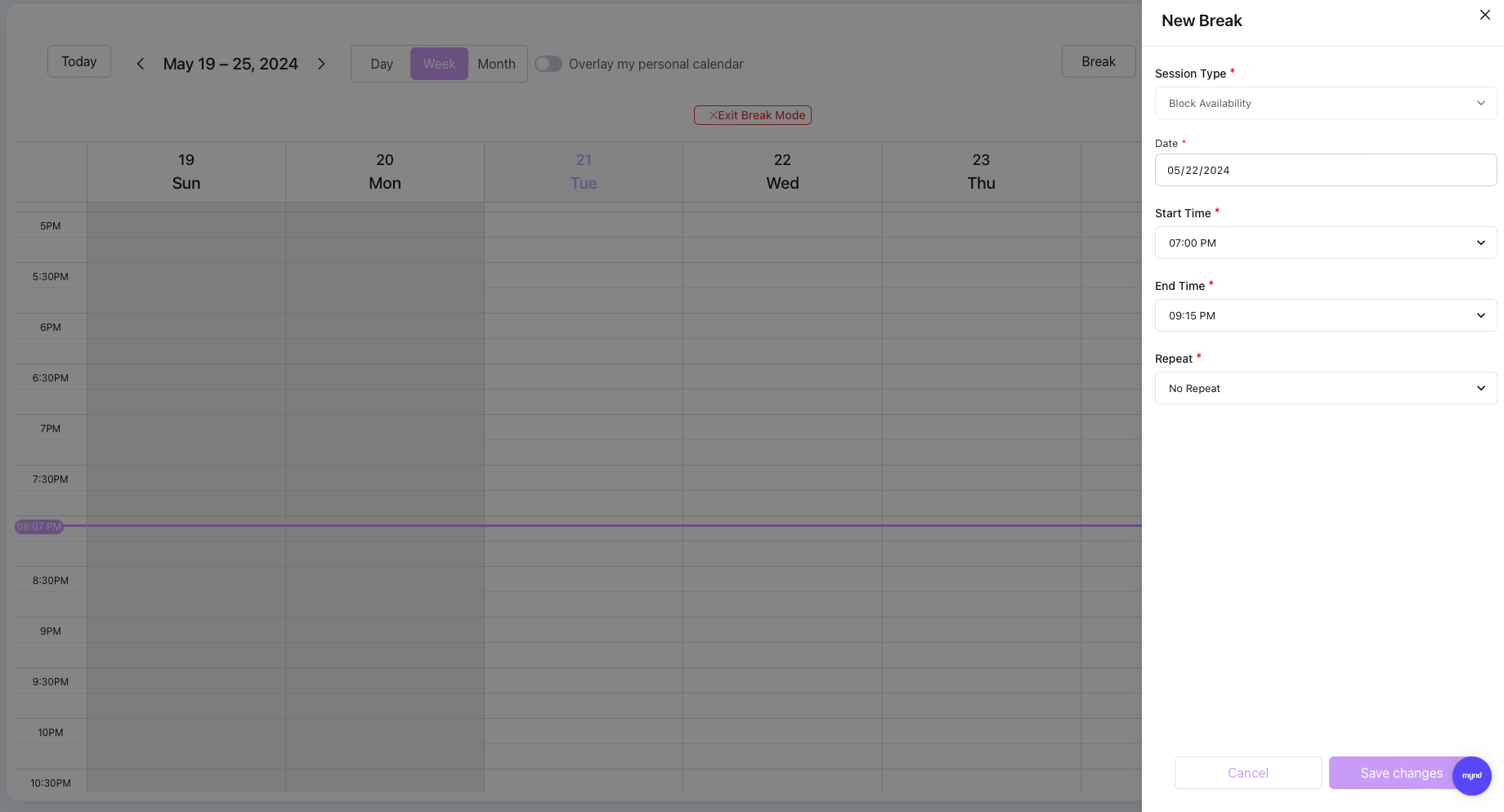
The start and stop time will be automatically filled in by the drag but can be adjusted from this view.
You can choose to repeat that break time every month, every week or every day. This allows quick creation of a weekly break schedule if your practice follows consistent hours.