
Overview
Kindred Practice allows practices to set and adjust their Rescheduling Policy, Cancellation Policy and Booking Policy so clients stay up to date with the terms of your specific practice.
Booking settings with Kindred Practice can be used to define if and when clients are allowed to book, reschedule or cancel their appointments.
Demo Video
Steps
Navigate to Booking Settings in Settings
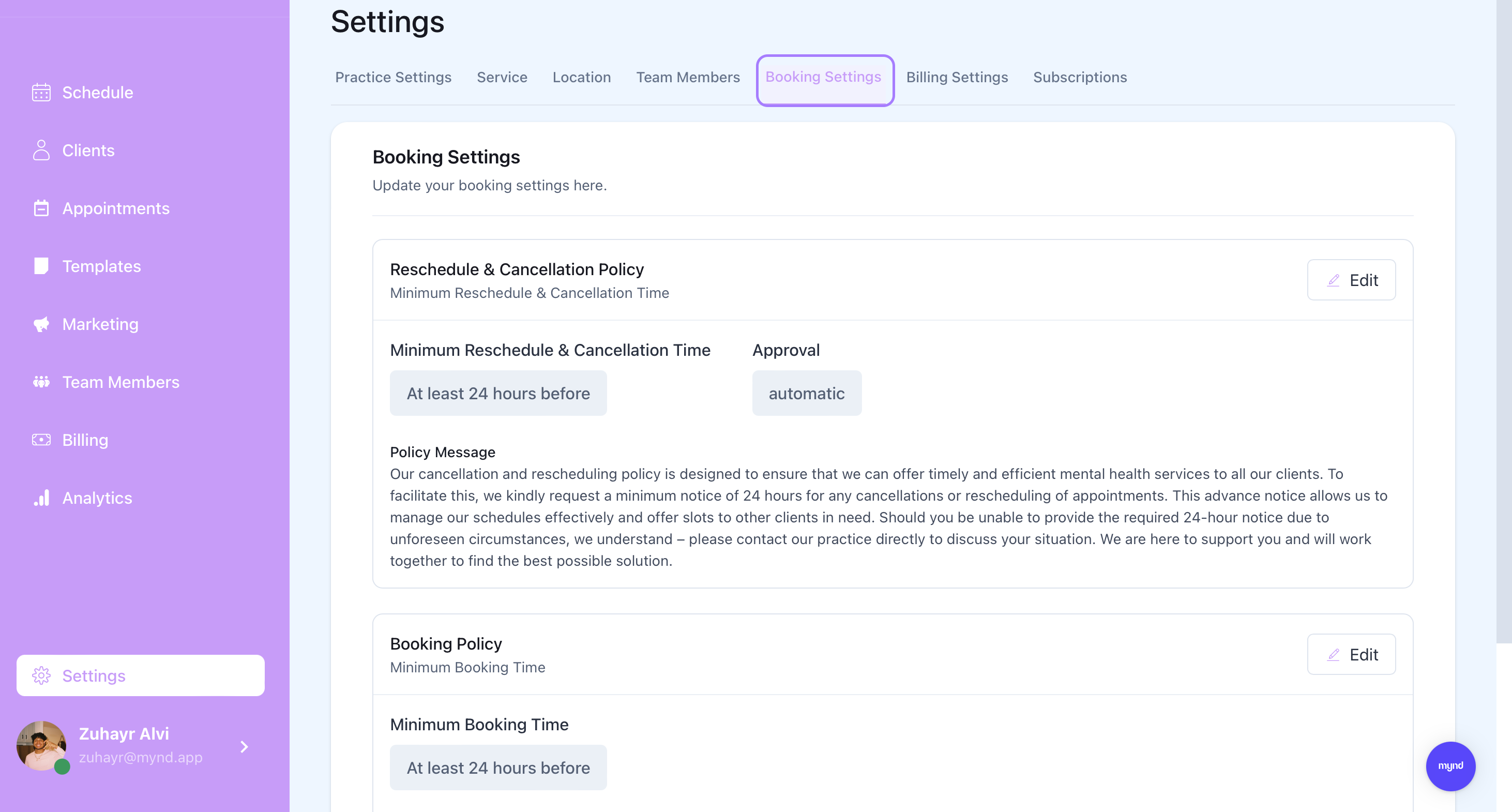
Click to Edit Reschedule and Cancellation Policy
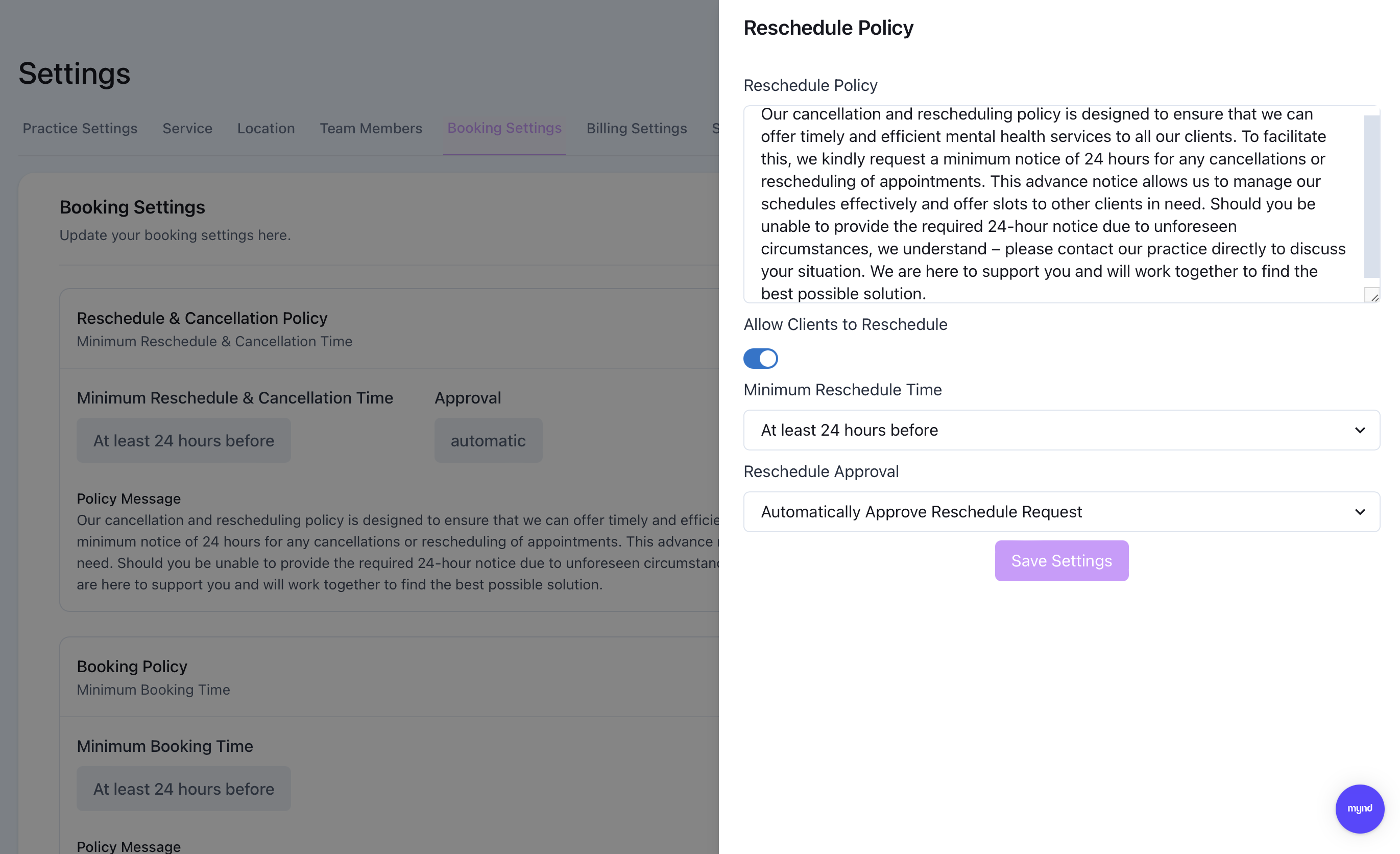
Kindred Practice offers a default rescheduling policy template at your convenience for your practice to use, adjust or replace.
You can toggle if you would like to enable your clients to reschedule and cancel appointments on their own.
Minimum Reschedule Time refers to how long before an appointment start time can a client self reschedule or cancel their appointment.
Rescheduling approval gives the ability to allow clients to finalize their reschedule or require them to get manual approval.
Click to Edit Booking Policy
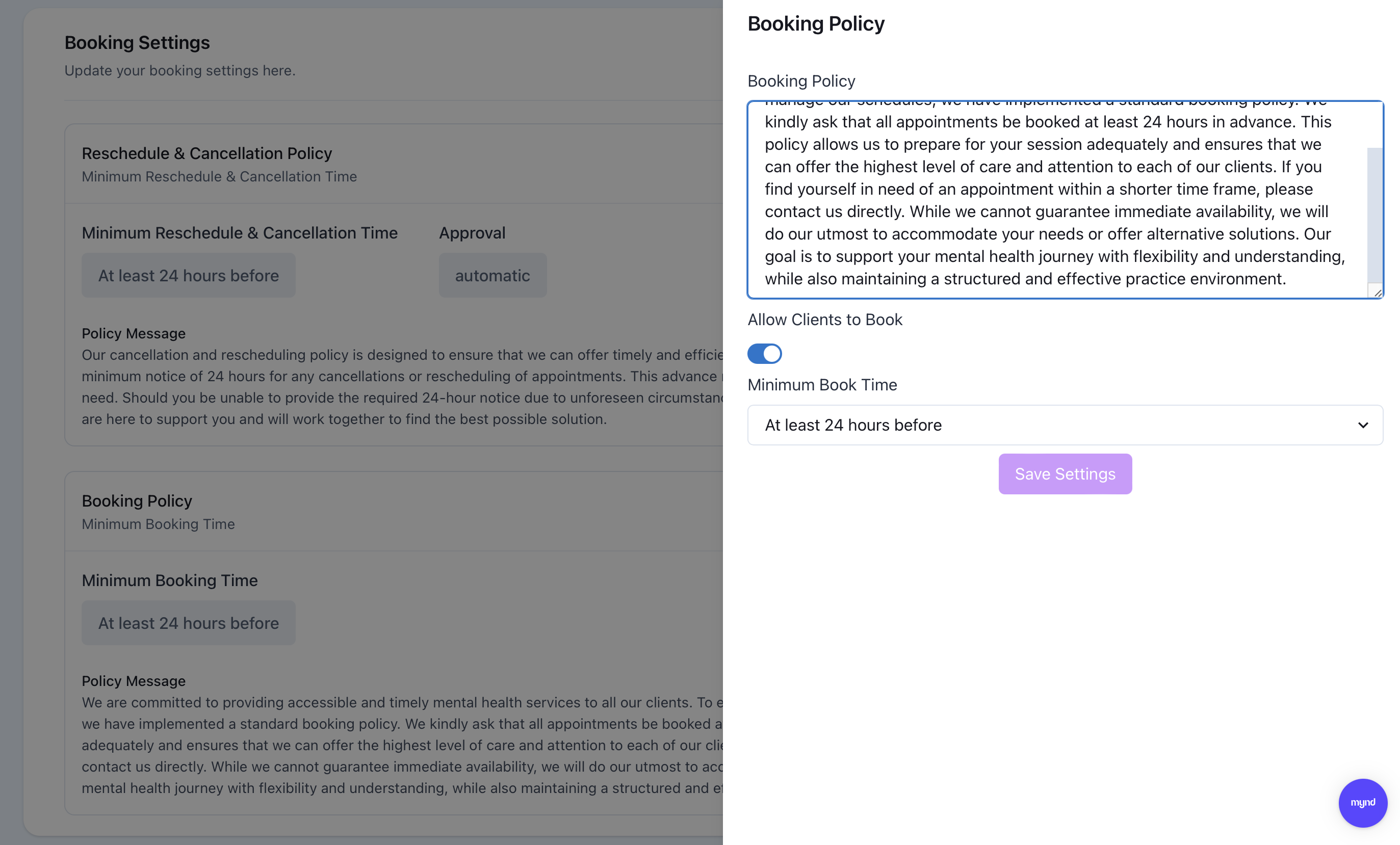
Kindred Practice offers a default booking template at your convenience for your practice to use, adjust or replace.
You can toggle if you would like to enable your clients to book online from their client portal.
Minimum Book Time refers to how long in advance can clients book their appointment. E.g. 24 hour minimum book time means clients can not book their appointment within 24 hours of the time of booking.